
















Integrations
Sage Intacct Accounts Payable Automation and Payments
Quadient AP integrates with Sage Intacct to replace slow, error-prone paper processes. With all of AP in one platform, finance leaders get real-time visibility into payables and make better-informed decisions.
Fast reply, free demo
Why integrate Quadient AP Automation with Sage Intacct
Level up Sage Intacct with AP Automation
Manage invoices, payments, POs & expenses in one system: Keep core AP activity connected in one central platform.
Reduce your AP team's data entry by up to 83%: Remove time-consuming manual entry from the invoice process.
Approve invoices 9x faster with automation: Use automated workflows to move invoices through approval more quickly.
See the Sage Intacct integration in action
What finance teams say about Quadient AP
Sage Intacct integration
Syncing
The integration with Sage Intacct really is as easy as pushing a button.
Quick setup: Connect to your existing Sage Intacct system in minutes, then customize it to your needs
Scheduled syncing: Set automatic syncs to run whenever you want
On-demand syncing: Sync manually at any time with one click
Modular solutions: Choose only what your team needs and add more as you grow
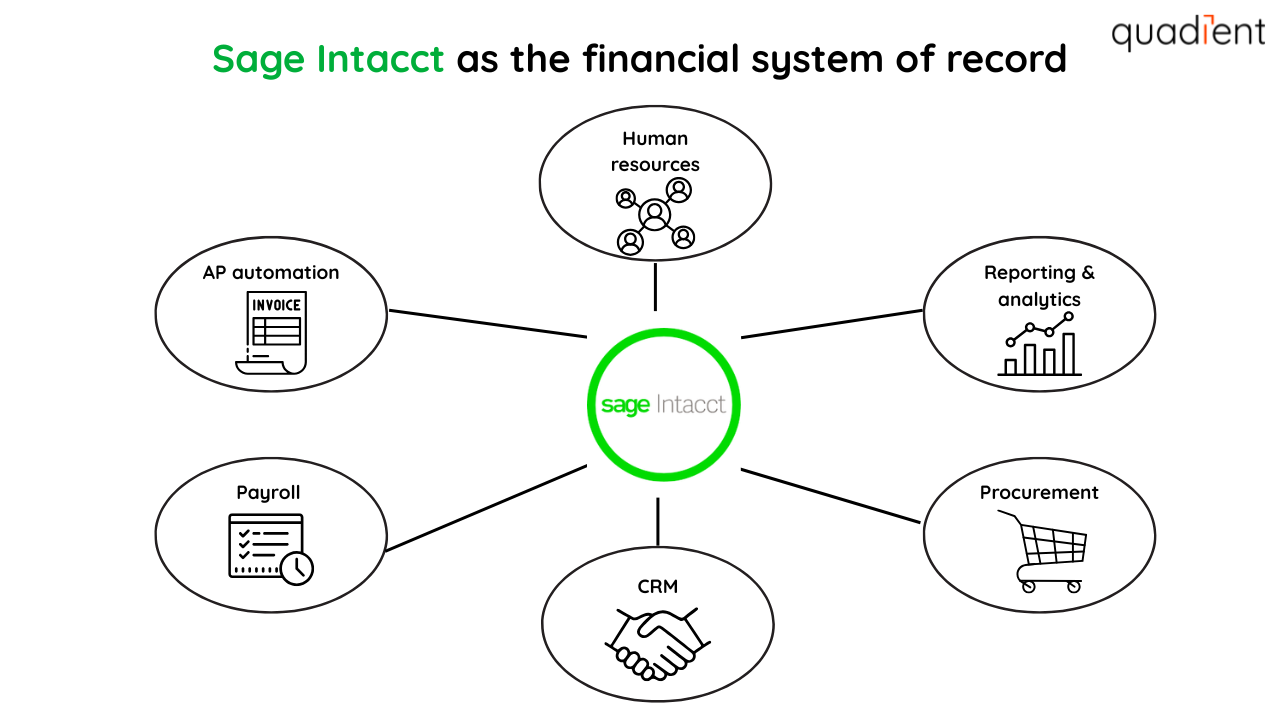
HOW WE INTEGRATE
Quadient AP and Sage Intacct
See exactly what syncs between Quadient AP and Sage Intacct, and in which direction.
Category | Data Items | Sync Direction |
|---|---|---|
Master Data | Vendors, Accounts | ➡️ Quadient AP |
Organizational Data | Items, Allocations, Locations | ➡️ Quadient AP |
Financial Data | Base Currency, Transaction Currencies, Payment Terms, Post Status, Payments (Created in Sage Intacct) | ➡️ Quadient AP |
Transaction Data | AP Invoices | ⬅️ Sage Intacct |
Features

Code multi-currency invoices

Match imported payments to invoices

Pay invoices through Quadient AP

Sync error functionality
Related resources

How AP automation helps ARORA
Arkansas Regional Organ Recovery Agency (ARORA) has a simple mission: to restore lives through the recovery of organs and tissues. AP automation helped ARORA create better processes and improved morale in and around the finance team.

Your Essential Guide to AP Automation for Sage Intacct
AP Automation in Sage Intacct helps unlock a finance team’s potential by eliminating manual data entry and helping speed up their organization’s invoice processing times.
Quadient AP's centralized solution empowers Homepoint staff
Accounts payable (AP) is one of the most frustrating and time-consuming parts of accounting. Adopting an automation software was a challenge across Homepoint's five offices set up in multiple time zones and various departments.
FAQs about integrating with Sage Intacct
We import any list needed to create an AP invoice in Quadient AP such as vendor, GL account, item, location, base currency, transaction currency etc.
Connecting Quadient AP to Sage Intacct only takes a few minutes, once you’ve completed the setup the synchronization will occur daily and the connector is API based. Invoice and payment data will sync instantly into Intacct on export.
Since Quadient AP has an actual multi-entity experience you can connect to your top entity and lower-level entities in a single instance of Quadient AP, meaning that you can view invoices coded to multiple different entities at different levels in a single view.
Yes, you can import purchase orders from Sage Intacct to Quadient AP via Anysync.
Yes, provided we integrate with your ERPs, we can incorporate each ERP into a single Quadient AP account. Quadient AP has a true multi-entity experience so that you can view invoices, POs, and payments from multiple entities in a single consolidated view.
Using the approval delegation feature, you can temporarily swap an approver for another approver for a period of time you set, or you can permanently replace them with another approver so that invoices and purchase orders can continue on their approval workflow.