















What is Quadient Impress?
Short answer: Quadient Impress is a cloud-based platform that automates the creation, production, and delivery of business documents, including invoices, statements, and letters. Teams can send both print and digital versions of documents from a single platform, see how each document progresses through production, and decide whether to prepare communications in-house, outsource them, or use a combination of both.
How many hours does your team spend a month processing invoices, statements, and letters to send mail? With Quadient Impress, you recover this time because instead of people on your team having to work with paper mail and manual processes, employees can send documents from their office, from home, or any connected location, and customers receive documents in the way they want, paper or digital. You can also move to digital delivery at your own pace, without changing the systems you already use.
What does Quadient Impress do?
Quadient Impress includes four modules: Impress Dispatch, Impress Distribute, Impress Automate, and Impress Portal. You can use them on their own or together.
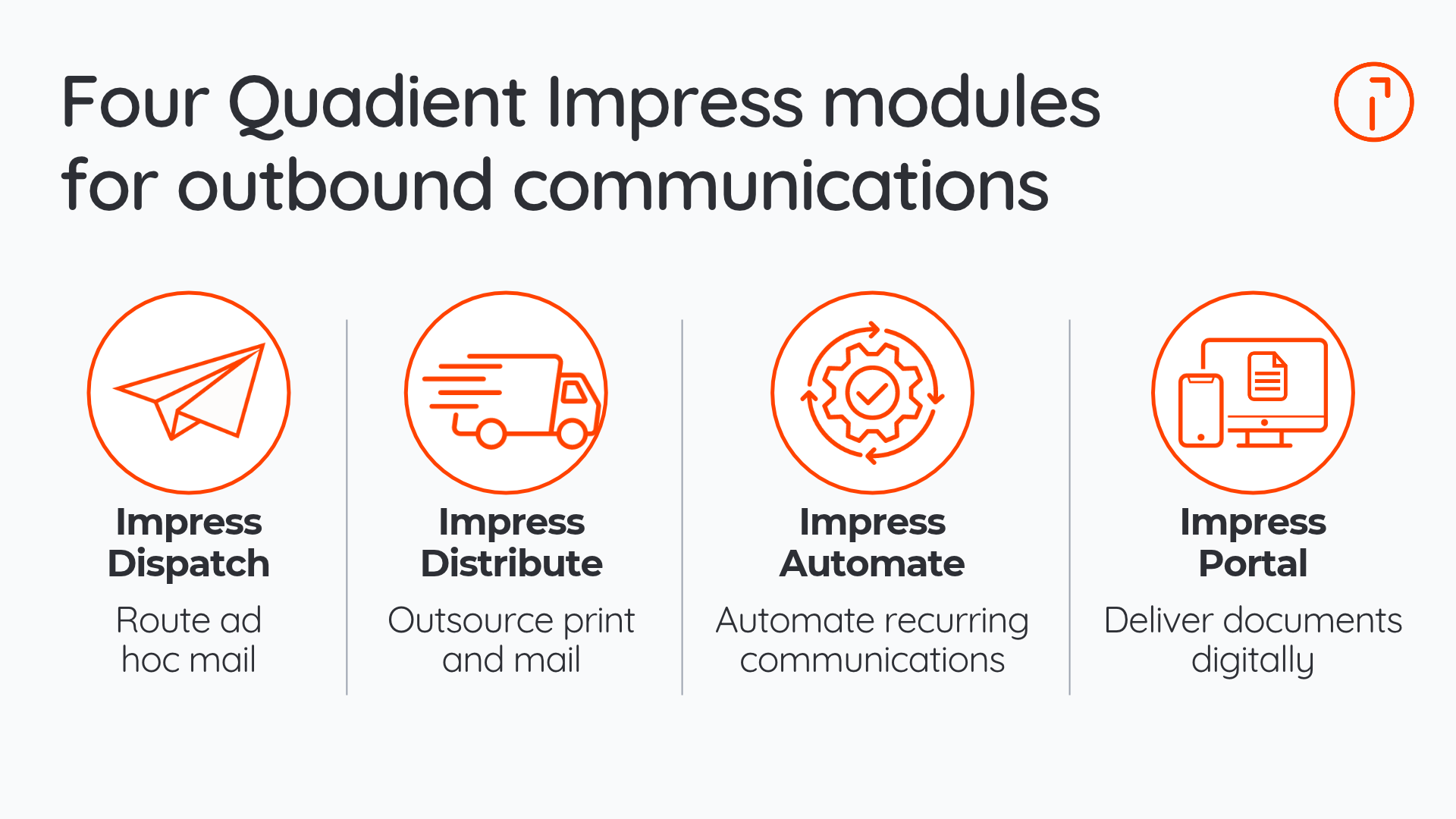
Module | What it does | Best for |
|---|---|---|
Impress Dispatch | Routes one-off letters and documents employees create, in the office or remotely, to your mail center, with optional approval steps | Businesses where staff in several locations send ad hoc mail |
Impress Distribute | Prints, folds, inserts, and mails your documents or sends them digitally | Businesses that want to reduce or stop preparing mail in-house |
Impress Automate | Prepares regular mailings such as invoices, statements and notices, using automated workflows and sends each document using the preferred channel | Businesses that send the same kinds of documents every week or month |
Impress Portal | Gives customers a branded, secure repository where they can receive and view their documents | Businesses moving customers to paperless delivery |
What does Impress Dispatch do?
Impress Dispatch handles ad hoc mail (the one-off letters, reminders, and policy updates employees create outside your scheduled mailings). Employees, whether in the office or working remotely, send documents from their desktop to your mail center for printing and mailing, so they no longer need to print, fold, or stuff envelopes themselves. Optional approval steps let designated reviewers check documents before they go out, which keeps your branding consistent. Documents can also be sent by tracked email, through your web portal, or as outsourced mail.
What does Impress Distribute do?
Impress Distribute is a cloud-based service that prints and mails your documents for you, and can also send them by tracked email, fax, text message, or web portal. You print documents to Distribute from the software you already use, and Quadient’s mail production facility handles the folding, stuffing, postage, and trip to the post office. You can outsource all or part of your mail and still maintain oversight of every single piece of work.
Distribute can also manage Certified Mail® with electronic return receipts, retain copies of your documents for up to 11 years, and enable you to track spending by department and approve individual jobs before they're dispatched.
What does Impress Automate do?
Impress Automate puts your regular mailings, such as invoices, statements, and notices, on autopilot. You set things up once by marking up a sample of your document, such as a monthly statement, so there's no need to change the system that creates it. From there, Automate adds your branding and personalized messages, groups documents for the same customer, and holds back any that shouldn't be sent. It also corrects addresses and presorts your mail, adding Intelligent Mail® barcodes to help eligible mailings qualify for USPS® automation prices. Separate barcodes tell your folder inserter which pages and inserts belong together, so each customer receives exactly the right pages and inserts.
What does Impress Portal do?
Impress Portal gives you a secure, branded website where customers receive their documents digitally. Customers get an email when a new document is ready and can log in on any device to see it, or to search and download past documents. You can also see when each document has been viewed. To invite customers to go paperless, send them a letter with a QR code they can scan to sign up. Impress Dispatch, Impress Automate, and Impress Distribute can all send documents straight to the portal, so customers have everything you send them in one place.
How does Quadient Impress track and protect your documents?
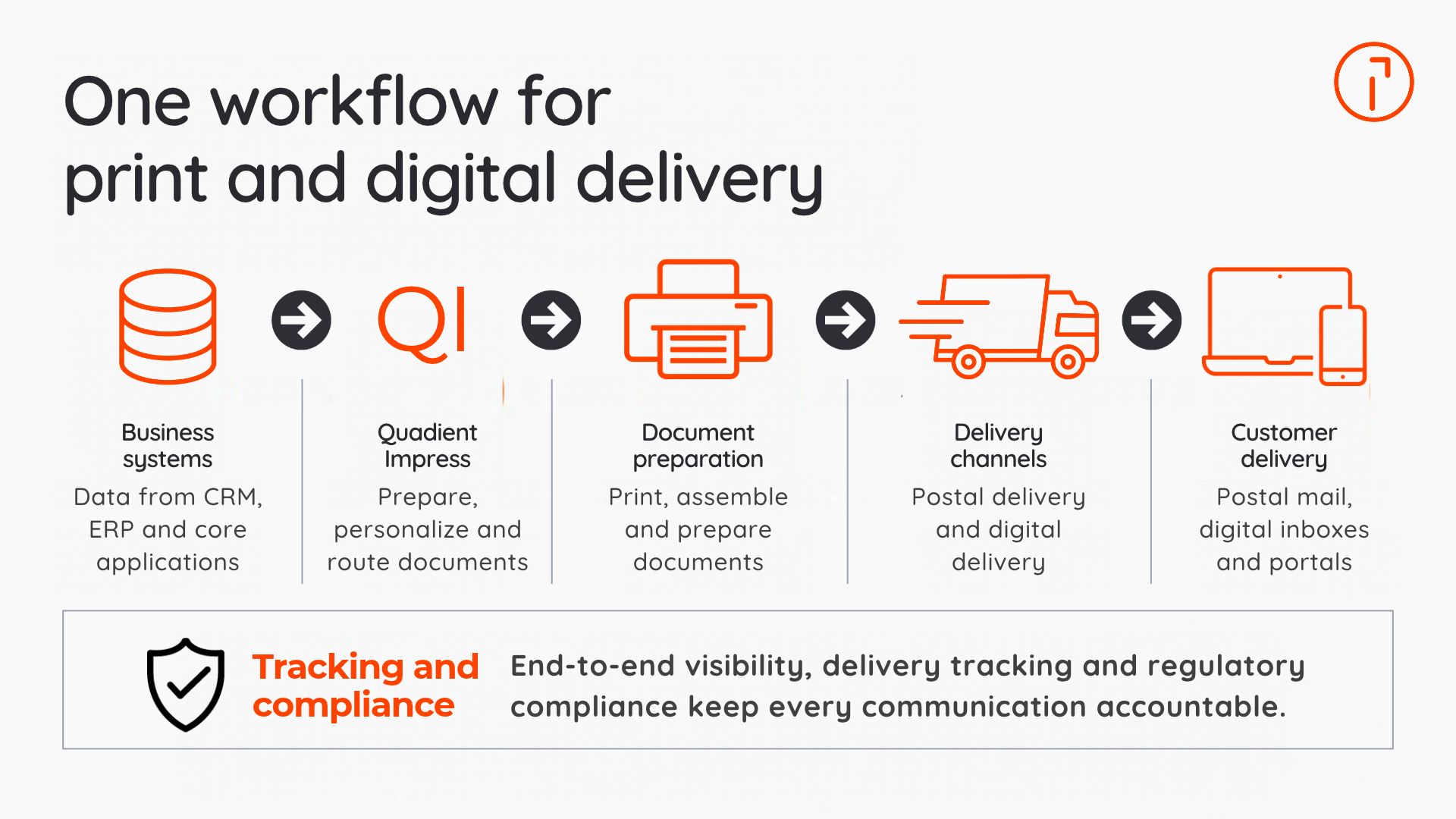
Every Quadient Impress module comes with the Control Center, a dashboard that shows where each of your documents is in real time, plus reports you can set up to suit your team. Electronic signatures, time stamps, and audit trails give you a record of what went out and when. Documents are encrypted in transit and stored in line with local regulations, including the General Data Protection Regulation (GDPR). The platform runs on Microsoft Azure and supports ISO 27001 and HIPAA compliance requirements.
Who is Quadient Impress for?
Quadient Impress is built for small and midsize businesses, as well as public sector organizations that send a regular flow of customer documents. It's a good fit if you send anywhere from about 12,000 to 25 million documents a year.
Consider Quadient Impress if your team wants to:
Spend less time on manual mail tasks
Lower paper, postage, and equipment costs
Reach customers through the physical or digital channels they prefer
Send mail on time from the office, from home, or both
Deliver invoices faster
What results do Quadient Impress customers see?
Companies in healthcare and real estate have used Impress to save hours of work and thousands in postage.
PracticeMax, a medical billing company, reported saving 120 staff hours a week and cutting postage costs by 7–12% using Impress Automate and Impress Distribute to prepare and send claims.
Automated HealthCare Solutions cut a 6–8-hour document creation process to under two hours and saved over $250,000 in postage in the first year, using Impress and Quadient mailing equipment.
Tri-Hill Management, a New York real estate company, estimated $2,000 in monthly savings, including supply costs and the value of staff time freed up for other work. Preparing and submitting its monthly rent bills through Impress now takes less than an hour. Because tenant statements go out faster and on a reliable schedule, Tri-Hill also receives rent payments sooner.
See Quadient Impress in action
Find out how much time your team could save on outbound mail with a personalized walkthrough of Quadient Impress. Book a demo
Frequently asked questions
Businesses use Quadient Impress to automate the production and delivery of their outgoing documents like invoices, statements, notices, and contracts. You set up each process once, and then let Impress do the rest, so that your staff has more time to focus on other important tasks.
You can use Quadient Impress through a web browser without installing it on each workstation. If you'd like to print documents straight to Impress from other programs, that uses a virtual print driver, which may need to be set up on your computer.
Quadient Impress can send documents by postal mail, tracked email, web portal, text message, and fax. You can choose the channel each recipient prefers and switch more customers to digital whenever you're ready.
Impress Automate prepares mail in your office by sorting and grouping, and applies barcodes so your folder inserter can process each mailing. Impress Distribute manages document delivery. It sends your documents to Quadient, which will print and mail them for you or deliver them digitally.
Quadient Impress integrates with standard business systems, such as enterprise resource planning (ERP) and customer relationship management (CRM) software or typical office applications. You can upload files directly, drop them in a shared folder, or print them to Impress like any other printer. You can also connect Impress to your existing systems. Either way, you can get started without a major IT project.