


















Introduction
Xero is an accounting platform developed by the Xero company, based in New Zealand. Their platform is trusted by more than 4,6 million customers in the world, most of which are small businesses. The Xero platform centralises financial data, automates everyday tasks and helps finance professionals track their cash flow in real time. While it's not a full enterprise resource planning (ERP) system, Xero can act as a lightweight ERP when it's integrated with other apps, such as invoicing, payroll or e-commerce tools. Integrations reduce manual work, minimise errors and speed processing and have become a strategic part of using Xero (and other similar systems).
The key takeaway is that Xero becomes far more powerful and efficient when it’s integrated with the other apps small businesses rely on; automating manual tasks, keeping financial data accurate, reducing errors and giving owners, bookkeepers and accountants real-time visibility into cash flow, payables and overall business performance. With the right integrations, Xero functions like a lightweight ERP that supports faster workflows, stronger financial control and more informed decision-making.
Read this article to learn about the benefits of integrations for the Xero platform, what the best apps to connect are in 2026, the correct set-up steps and tips to select the best integrations.
What are Xero integrations?
Integrations are easy ways to connect Xero with other software platforms so that information moves between them automatically. Instead of entering the same details multiple times (in multiple places), integrations keep everything up to date on all the connected systems, including for example supplier invoices, payments, payroll or expenses.
For small businesses, bookkeepers and accountants, integrations are one of the easiest ways to save time, reduce manual work and keep records accurate and have become a strategic consideration when using Xero.
What are the benefits of setting up Xero integrations?
Xero integrations can easily help small businesses get more value from their technological stack by connecting all the tools they already use. Instead of having to switch between systems or re-enter information, integrations ensure that your financial data flows automatically between the different platforms you use. The benefits include:
Increased efficiency and automation: Integrations cut admin time by syncing invoices, payments and expenses into Xero. Automatically. This can significantly speed up financial tasks like reconciliation and reporting.
Fewer errors and better control: Less manual data entry means fewer mistakes, like duplicate invoices or incorrectly categorised expenses. Some integrations also add checks to improve accuracy and control.
Improved communication and collaboration: Connected tools make it easier for business owners, bookkeepers and accountants to stay aligned with real-time updates and automated notifications.
Easier tax and compliance management: Integrations keep records cleaner and reporting more consistent, which helps with audit trails, tax prep and staying compliant.
More visibility and smarter decisions: When your systems sync in real time, you get better insight into spending, payables and cash flow. This helps you to make better decisions.
A quick overview of Xero
Who uses Xero?
Xero software is typically used by small businesses, accountants and bookkeepers. Its popularity stems from its cloud access, easy set-up and real-time sync with bank feeds. Xero can scale as your business grows in terms of users, invoices, transactions and reporting needs.
Key features of Xero
Xero gives small businesses an easy way to stay on top of their finances without getting buried in spreadsheets. It keeps your accounting organised, helps you to stay on track with payments and makes it easier to see how your business is doing.
Here are some of Xero’s key features:
Everyday accounting basics like tracking income, expenses and running financial reports
Invoicing tools so you can send invoices, follow up on unpaid ones and get paid faster
Supplier invoices and payables tracking to help you to manage what you owe and avoid missing due dates
Basic inventory and item tracking for businesses that sell products and need basic stock visibility
Bank reconciliation that pulls in bank transactions and matches them to invoices, supplier invoices and spending
Cash flow visibility so you can quickly see what’s coming in and what’s going out
Mobile app access on iPhone and Android, so you can manage your books even when you’re away from your desk
Xero is powerful on its own, but it works best when it’s connected to the software tools you use on a daily basis. Integrations help you to automate more of your workflow, sync data across platforms and build a system that fits the way your business runs.
Understanding Xero integrations
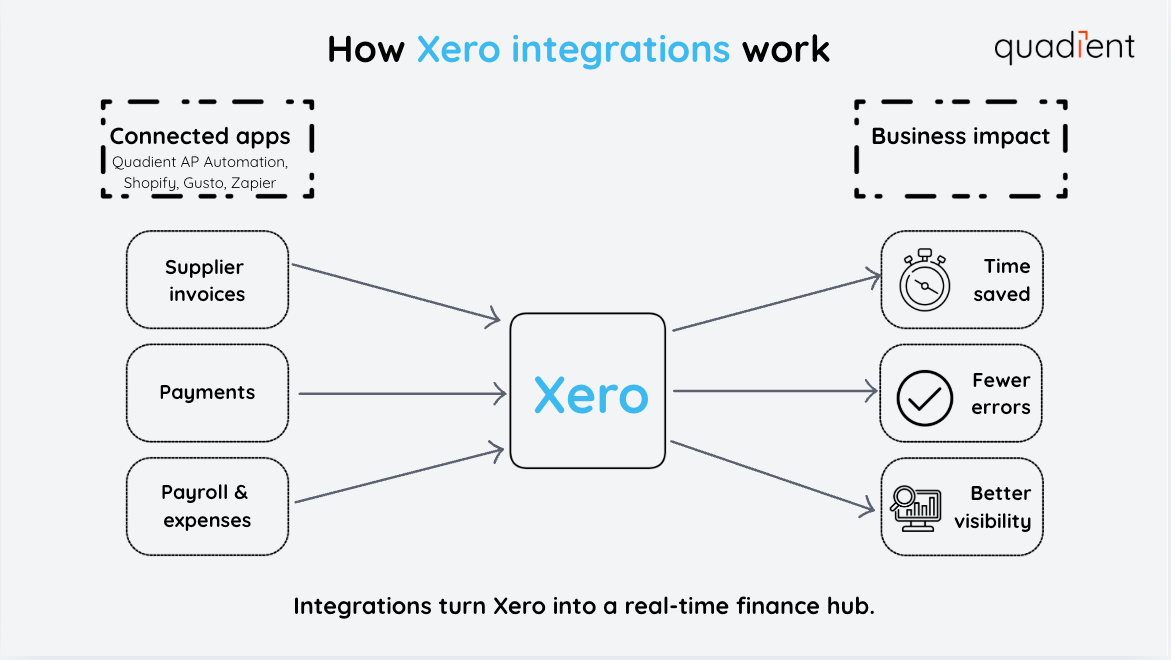
There are a few common types of Xero integrations:
Native integrations connect directly through the Xero App Marketplace and are usually the quickest to set up.
API-based integrations use Xero’s API to push or pull data between platforms, often through apps built specifically for Xero users.
Third-party automation tools like Zapier let you link Xero to other apps and build simple workflows without needing a developer.
The main advantage of integrations is that they help Xero work the way your business works, by automating routine tasks and keeping everything connected with less admin work.
The best Xero integrations for 2026
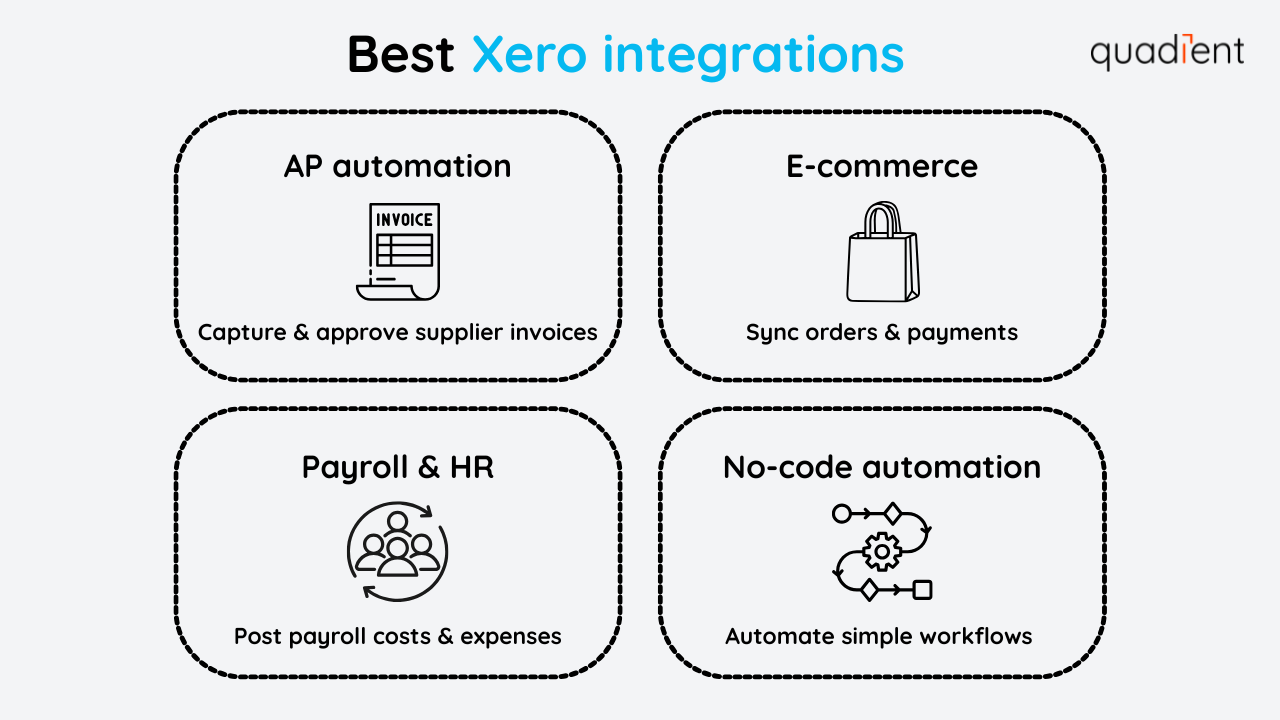
Here are a few of the top Xero integrations businesses are using in 2026 to work faster and stay organised.
Quadient streamlines accounting workflows with AP automation, including capturing supplier invoices, managing approvals and reducing manual data entry. Teams can keep payables moving faster while improving accuracy and visibility. Learn more about Quadient's Xero integration.
Shopify is a great integration for e-commerce and retail businesses that need their sales and payments to flow cleanly into Xero. It helps automatically sync orders, invoices and payment activity, so you spend less time updating records and more time running the business.
Gusto is a popular payroll and HR integration that simplifies paying employees and staying compliant. When connected to Xero, it automatically syncs payroll costs and related expenses into your accounts, making reporting and month-end close easier.
Zapier is a no-code automation tool that connects Xero to thousands of other apps. It helps you to set up simple workflows, like sending a notification when an invoice is paid or automatically creating a new customer record, reducing repetitive tasks without needing a developer.
How to set up a Xero integration
Setting up a Xero integration depends on the app you’re using, but most connections follow the same general process:
Connect your accounts
Choose what data to sync
Test to make sure everything maps correctly
Option 1: Native integration
Native integrations are the easiest to set up and usually connect through the Xero App Marketplace.
Choose the app and click “Connect”
Authorise access to Xero
Select what you want to sync (invoices, supplier invoices, contacts, payments)
Test a few transactions to confirm everything looks right
Option 2: Integration platforms (like Zapier)
Zapier is a good option when you want to automate actions between Xero and other tools without using a developer.
Pick a trigger (example: invoice paid in Xero)
Choose an action (example: send a notification or create a new record)
Map the fields and turn it on
Start simple, then build more workflows over time
Option 3: Customised API integration
This option is best for businesses with technical resources or customised requirements.
Set up secure log in and permissions (OAuth 2.0)
Map data between systems
Test for accuracy and error handling
Monitor syncs to avoid missing or duplicated records
Choosing the right integration for your business
The best Xero integration is the one that solves a real problem in your workflow. Before adding new tools, it helps to start with what’s slowing you down most.
Here are a few tips:
Focus on your biggest time-wasters first, like supplier invoices, invoicing, payroll or expenses
Check what data actually syncs, so you don’t end up doing manual clean-up later
Test before rolling it out, using a few real transactions
Look for reliable support and scalability, especially if your transaction volume is growing
A good integration should make your work easier, not add more steps.
Conclusion
Xero is a strong accounting platform for small and medium-sized businesses (SMBs), but it becomes even more useful when it’s connected to the tools your business depends on. The right integrations can save time, reduce manual work and help keep invoices, supplier invoices, payroll and expenses synced automatically.
If you’re looking to automate more of your finance workflow, Quadient’s AP automation integrates with Xero to streamline supplier invoice capture, approvals and processing, giving you more control and less admin work as your business grows.
Want to learn more about integrations? Please check related articles: